Markdown Reader for iPhone and iPad
Open any .md file and read it rendered
OpenMark on iPhone and iPad opens .md and .mdx files and shows them with full typography, Mermaid diagrams, LaTeX math and interactive checkboxes. It is a reader, built for README files, documentation and drafts you wrote on your Mac. It requires iOS 18 or iPadOS 18.
$9.99 once. One purchase covers Mac, iPhone and iPad.
How to open a .md file on iPhone or iPad
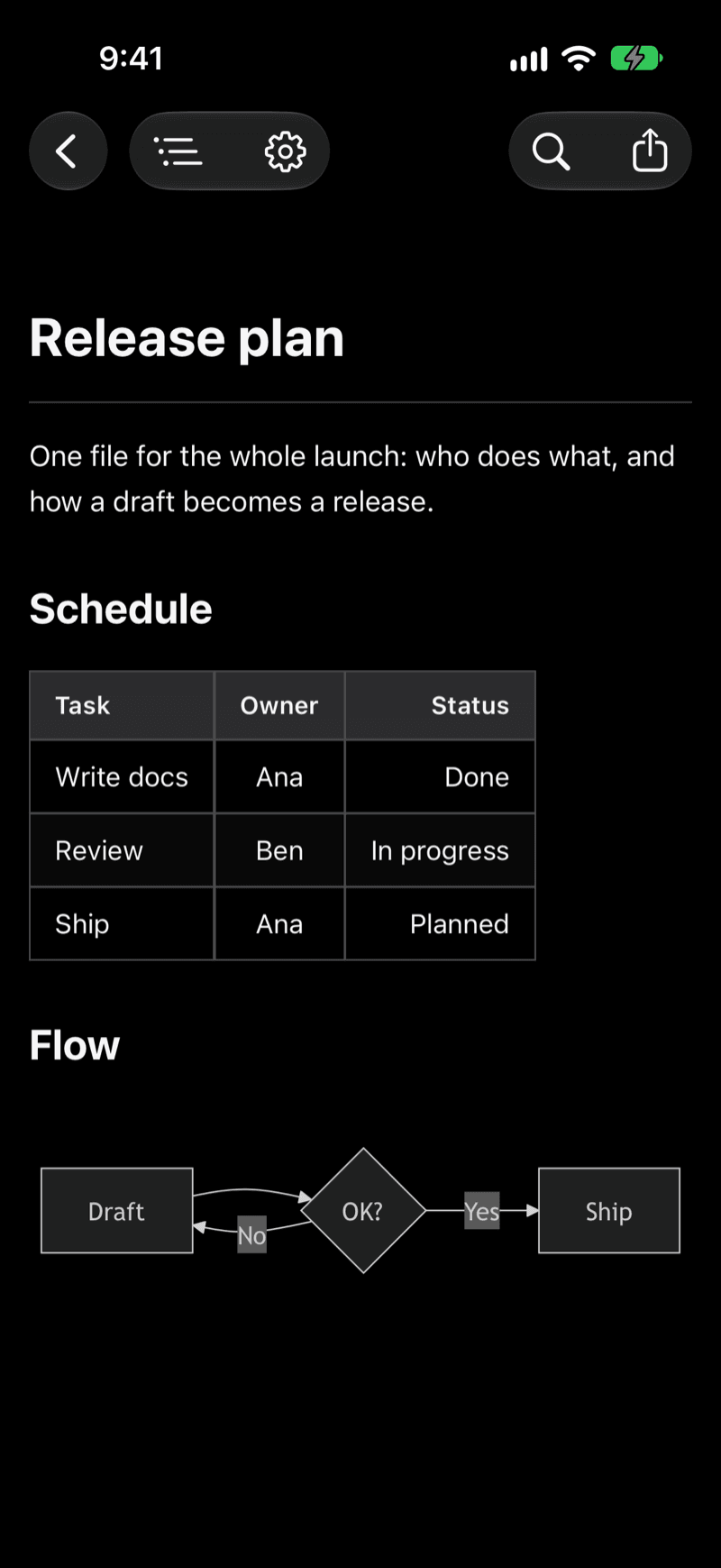
iOS does not render Markdown by itself, so a .md file usually opens as plain text with every # and ** still showing. OpenMark fixes that in a few taps.
- Install OpenMark from the App Store.
- Find the file in the Files app, iCloud Drive, Google Drive or Dropbox and open it with OpenMark.
- Read it rendered: headings, tables, code, diagrams and math appear as a finished document, and your place in the file is kept as you scroll.
Markdown files in Google Drive are selectable in the file picker, so you do not have to download them first. This works for README files, project documentation, notes and AI-generated Markdown alike. For the Mac side of the same job, see how to open .md files on Mac, iPhone and iPad. If you only need a quick look on a computer you do not own, the online Markdown viewer runs in the browser.
What the iPhone and iPad reader renders
- Mermaid diagrams: flowcharts, sequence, class, Gantt and Kanban diagrams are drawn inline instead of showing as code.
- LaTeX math: equations, subscripts and matrices are rendered with KaTeX.
- Code blocks highlighted in more than 30 languages.
- Interactive checkboxes: tap a task list item to toggle it.
- GitHub-style alerts (NOTE, TIP, IMPORTANT, WARNING, CAUTION) and wiki-style
[[links]]between documents. - Four themes: Default, Nord, Solarized and One Dark, plus adjustable font size. Light and dark mode follow your system setting.
Reading tools are there too: find in page, reading time and document info, and export or print as PDF or HTML, or send the file on to any app.
Designed for iPad
On iPad an outline sidebar sits next to your document, so you can jump to any heading in a long file. If you use an external keyboard, ⌘F opens find in page. The sidebar follows the heading structure of the file, which is the quickest way to move around a long spec or a README. This makes the iPad a comfortable place to review documents without a laptop, and a good second screen for drafts that you write on your Mac.
Who the iPhone and iPad app is for
- Reading README files and documentation on the go.
- Reviewing Markdown drafts that you wrote on your Mac.
- Opening .md files from any cloud service or app, without copying them into a notes app first.
If you want to write Markdown on a phone or tablet, OpenMark is not the right tool: the iPhone and iPad app does not edit text. If you mostly need to read, it keeps the screen simple and the rendering faithful.
Offline, with Spotlight and Quick Actions
OpenMark works completely offline, so a file that is already on your device opens without a connection. Documents you open are indexed for Spotlight, so you can find recent files from Search. Home Screen Quick Actions let you press the app icon and jump straight to a recent file.
One purchase for Mac, iPhone and iPad
OpenMark is $9.99 once, as a Universal Purchase: buy it on one device and it covers Mac, iPhone and iPad, with no subscription. The iPhone and iPad app is a reader and a companion to OpenMark for Mac, where you can also edit the source. If you read AI output on your phone, see the best CLAUDE.md viewer for how the same files look on the Mac.
Get OpenMark on the App StoreFrequently asked questions
- Can I edit Markdown files on iPhone or iPad with OpenMark?
- No. OpenMark on iPhone and iPad is a reader: it shows your file rendered and lets you tick checkboxes, search, change the theme and export. Editing the text is done in OpenMark for Mac, which is included in the same purchase.
- How do I open a .md file on my iPhone?
- Open it from the Files app, iCloud Drive, Google Drive or Dropbox and choose OpenMark. The app is built for opening .md files from any cloud service or app.
- Does it work offline?
- Yes. Rendering, Mermaid diagrams and LaTeX math all run on the device, so no internet connection is needed to read a file that is already on your iPhone or iPad.
- Do I pay separately for iPhone, iPad and Mac?
- No. OpenMark is $9.99 once and is a Universal Purchase: one purchase covers Mac, iPhone and iPad. There is no subscription.